There may be a time when you need to move an individual to a new address record. In that case, you can follow the steps below.
-
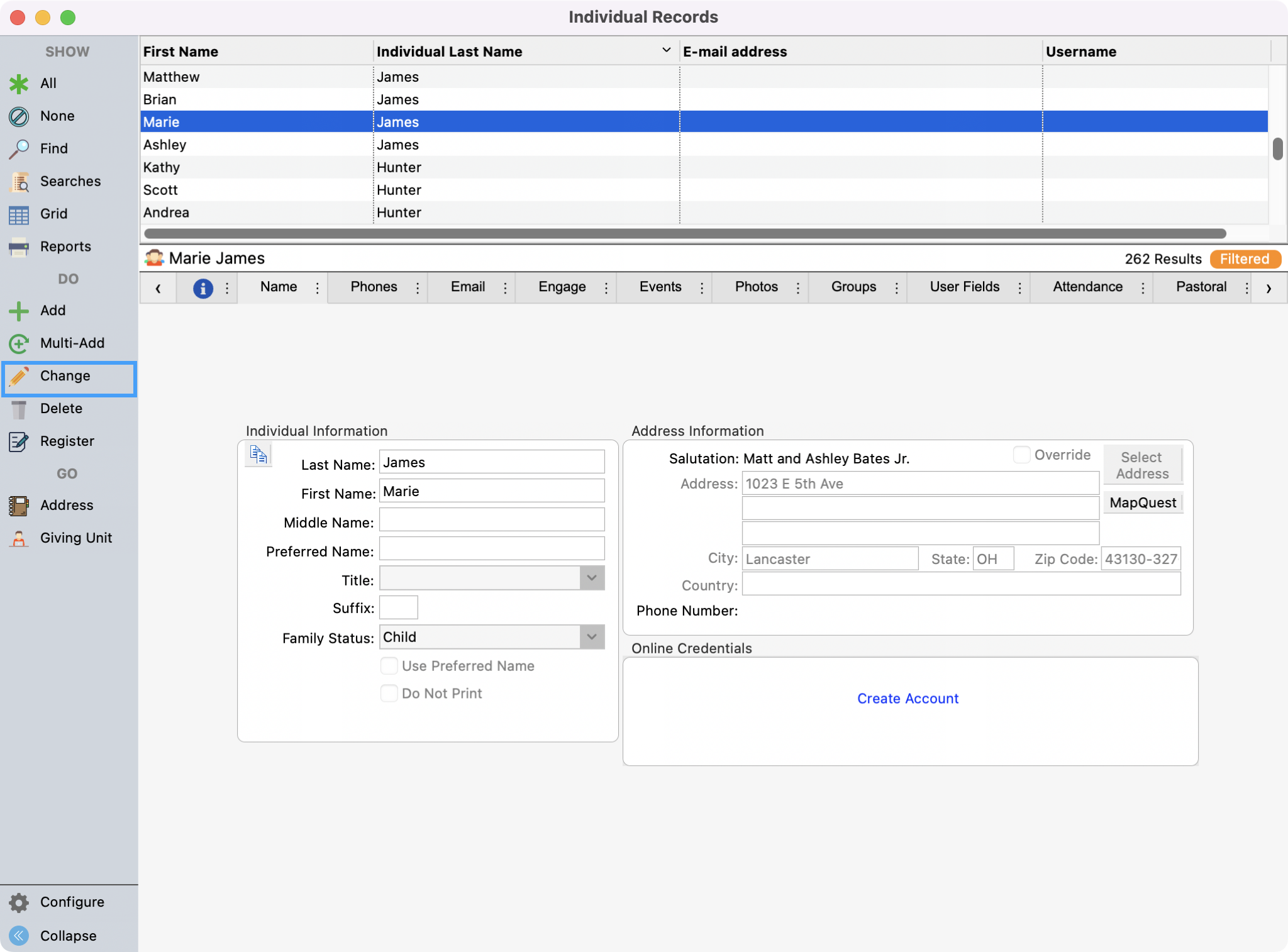
Under Individual Records, find the Individual record of the person who is to be moved and click Change from the right sidebar.
-
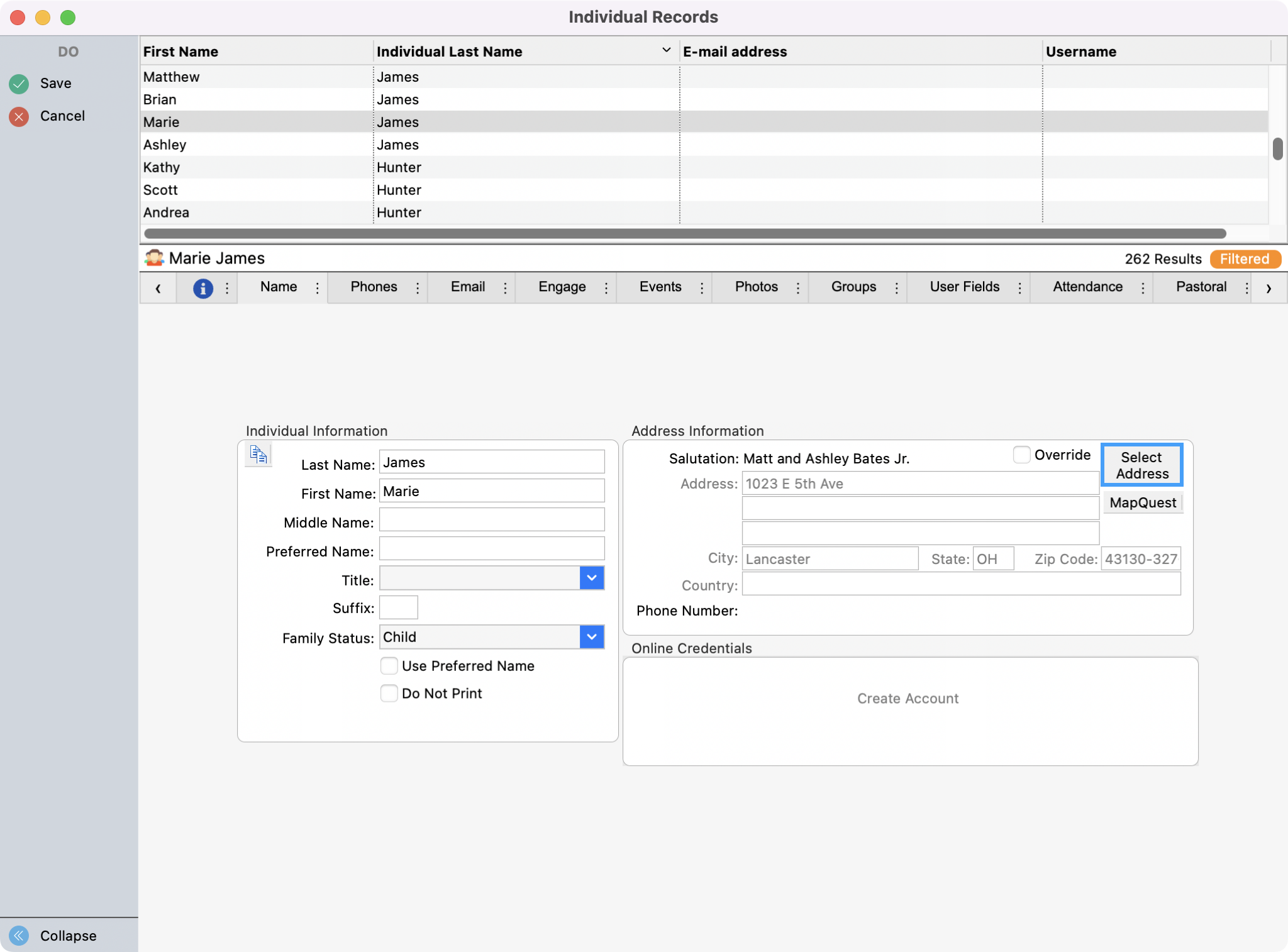
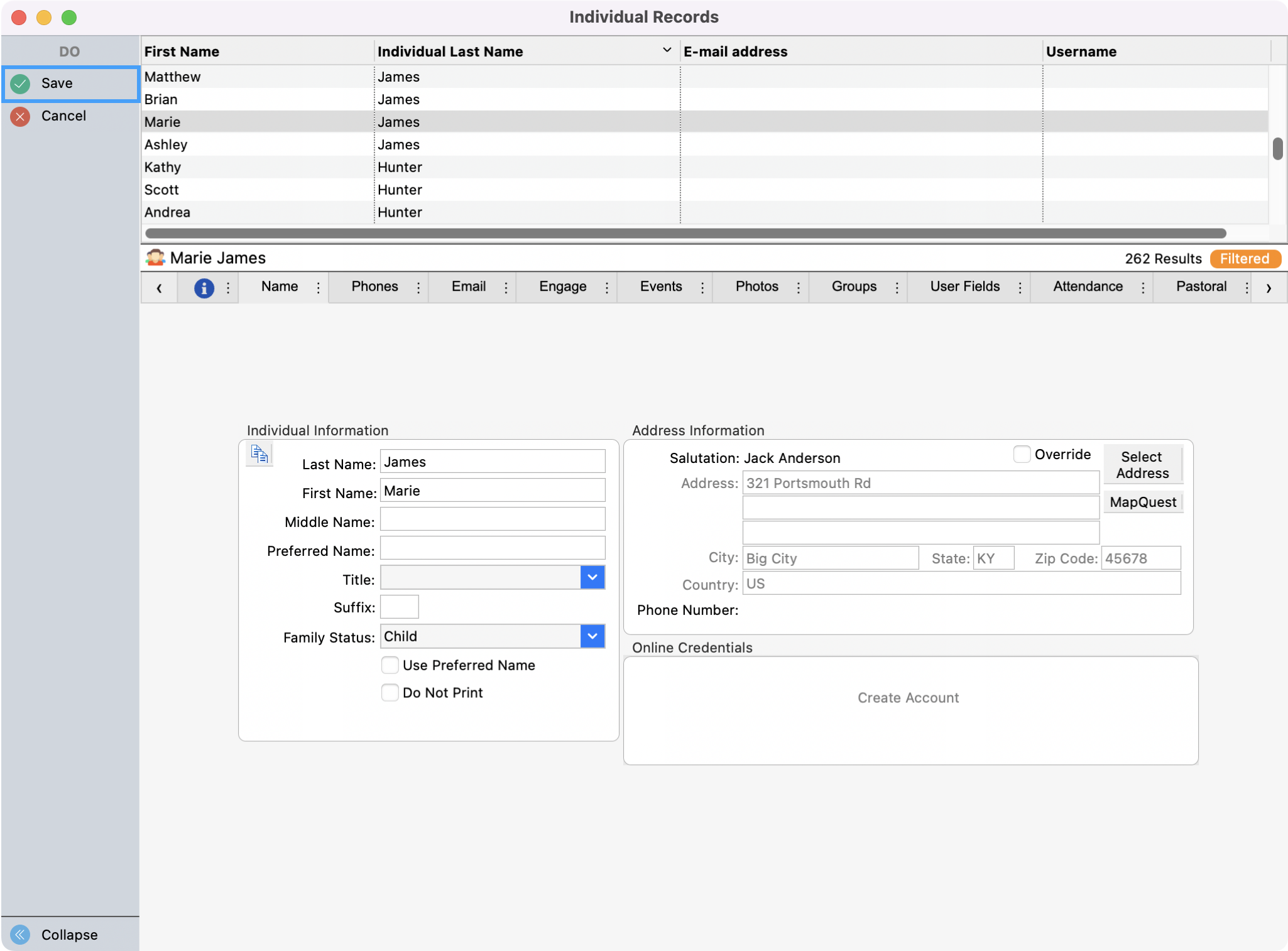
In the Address Information pane, click Select Address.
-
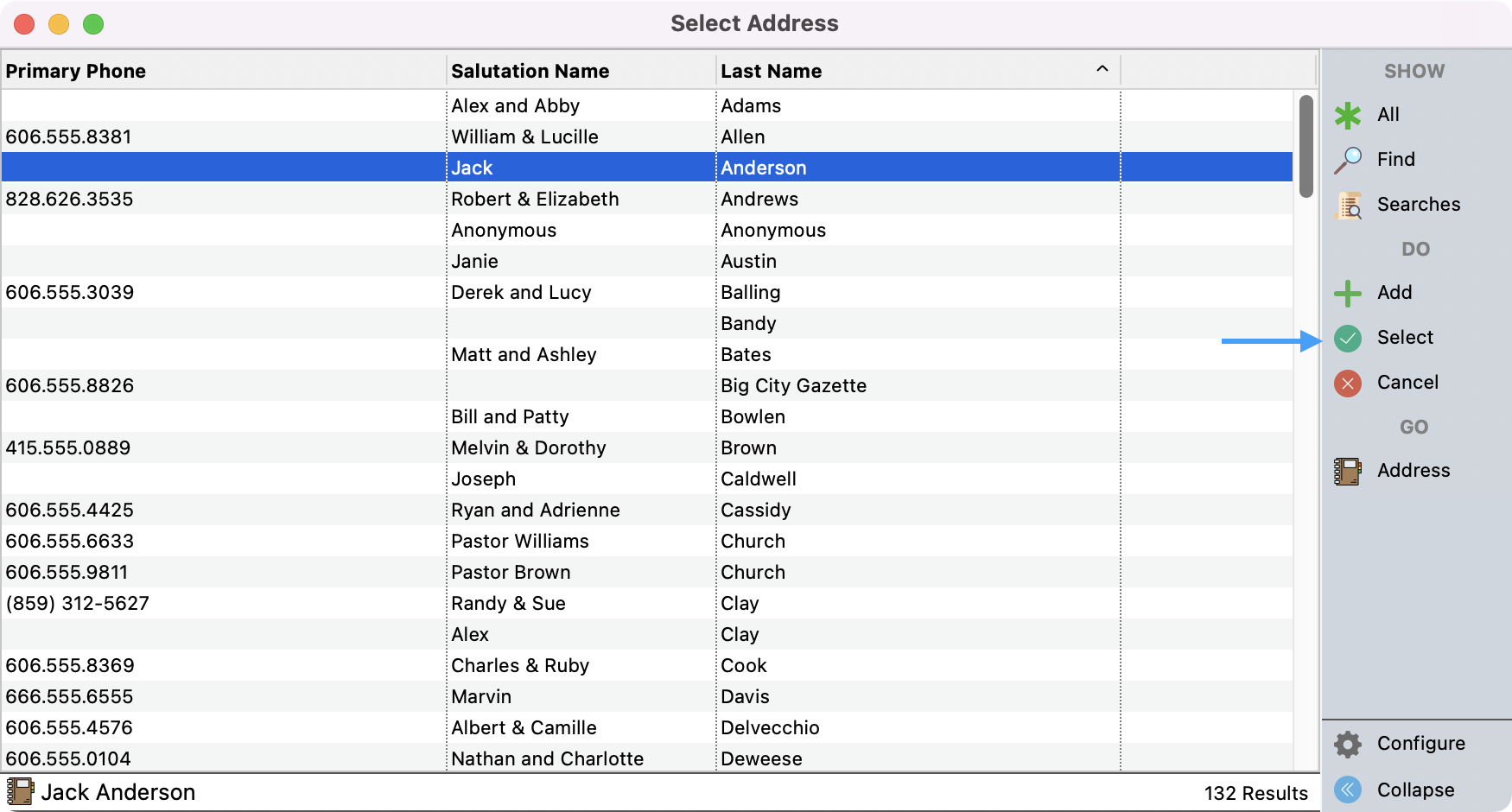
If it is an existing address in CDM+ Membership, find it, highlight it, and click Select.
-
If it is a new address, create a new Address Record by clicking Add from the right sidebar. Then, hightlight the Address and click Select.
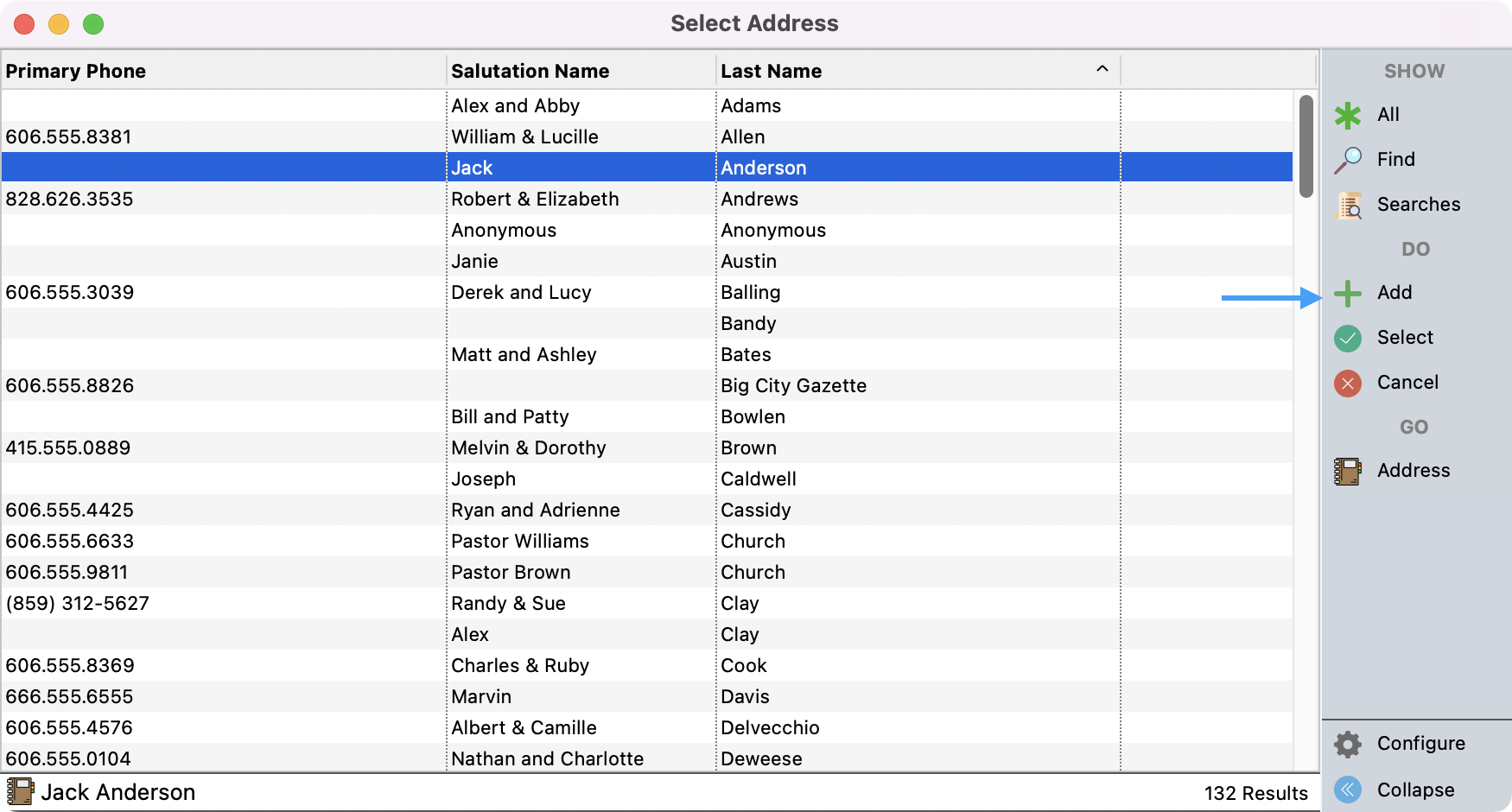
-
Back on the Individual Record window, click Save on the left-hand side.
-
The Individual Record is now moved to the new Address Record.
You may want to review the Address Record and update their Family Status.
-
If there are Giving Units tied to the Individual Record, you are moving, you will be asked if you wish the Giving Unit to be moved also.
If no Individual Records or Giving Units are tied to the previous Address Record, when you are finished, you may delete that Address Record.