Don't miss our Annual CDM+ User Conference Early Bird Pricing! Offer Ends July 31st. Click here to learn more!
Ledger

Up-Processing a Deposit

You can un-process a previously deposited transaction.

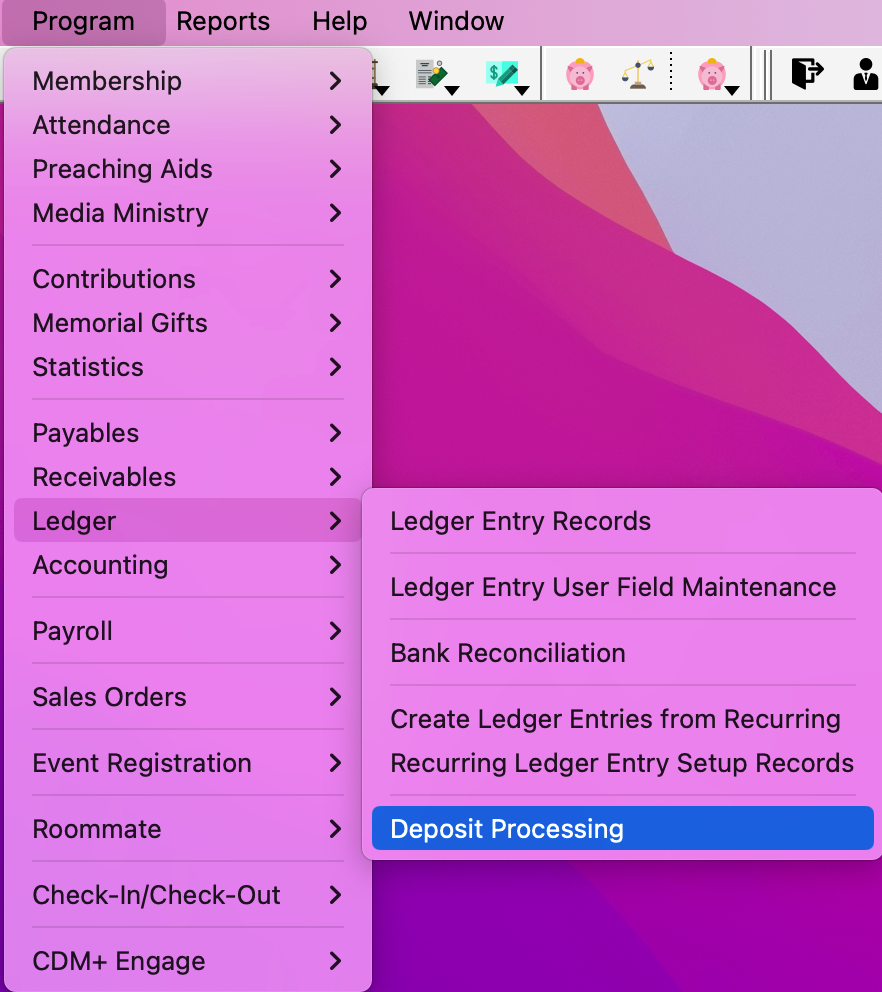
  1. Go to Program Ledger Deposit Processing.

    Navigation path to Deposit Processing


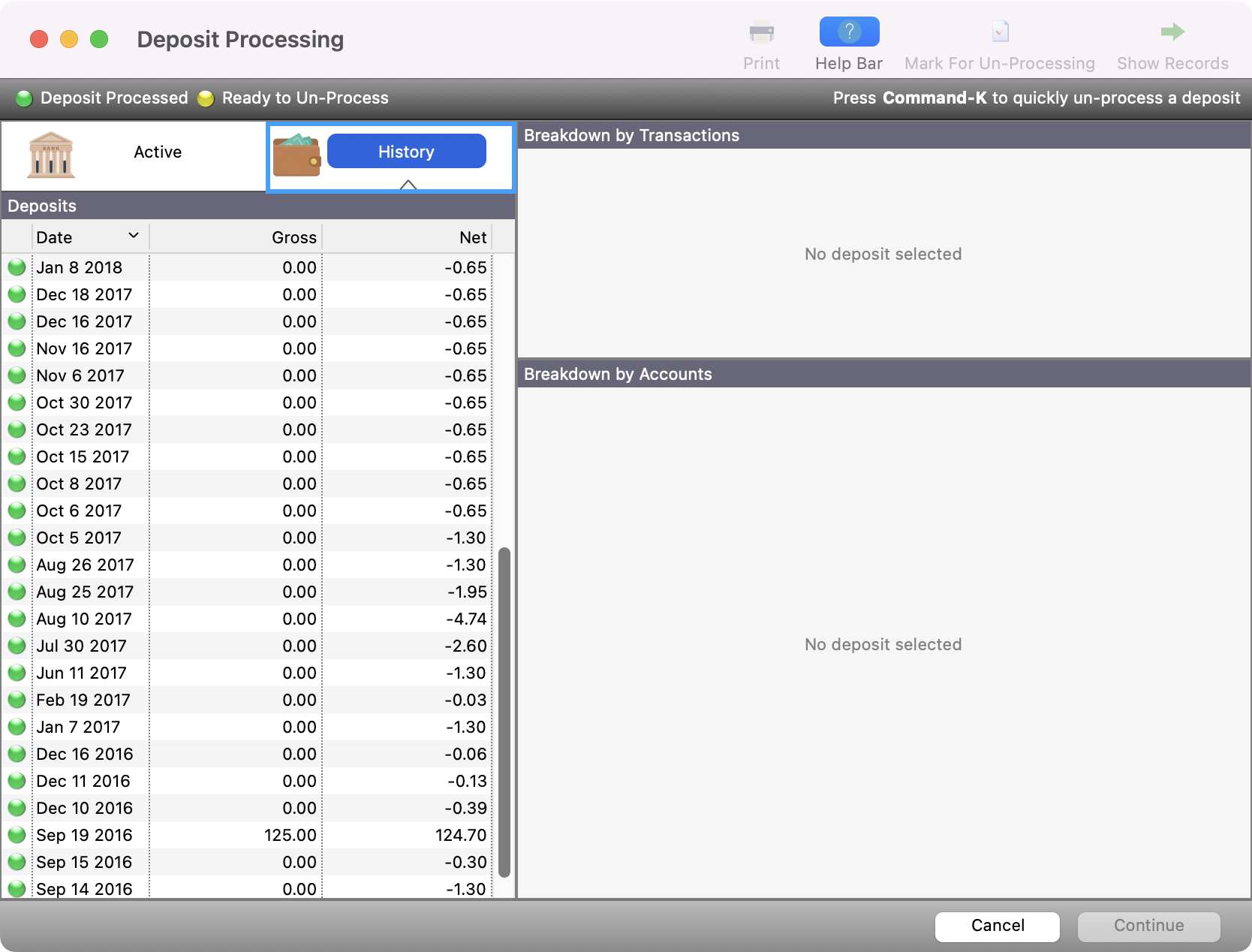
  2. Click History.

    Deposit Processing window with the History button highlighted.
  3. Select the deposit to be un-processed and click Mark for Un-Processing.
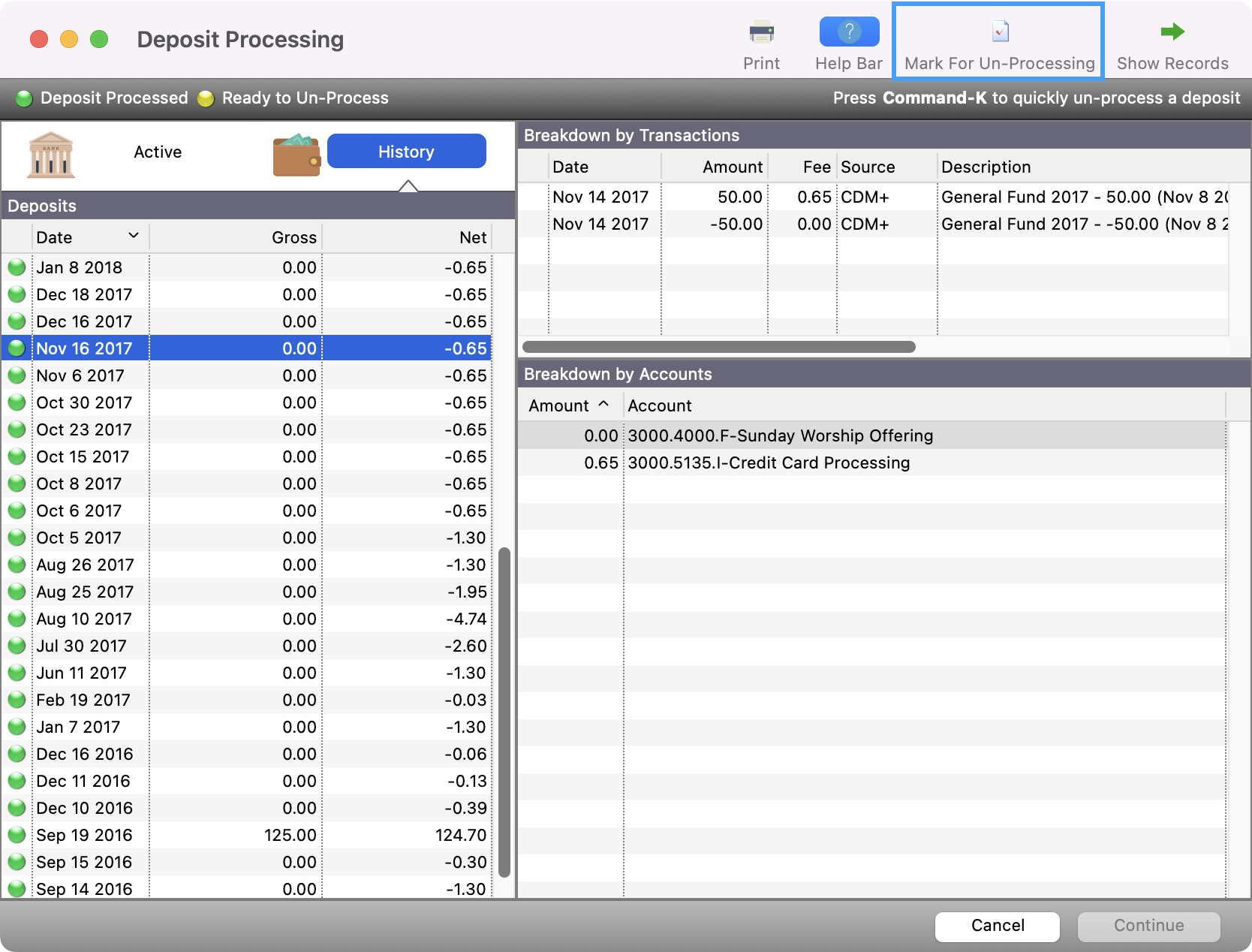
    The Deposit Processing window with a transaction selected and the Mark for Un-Processing button highlighted.
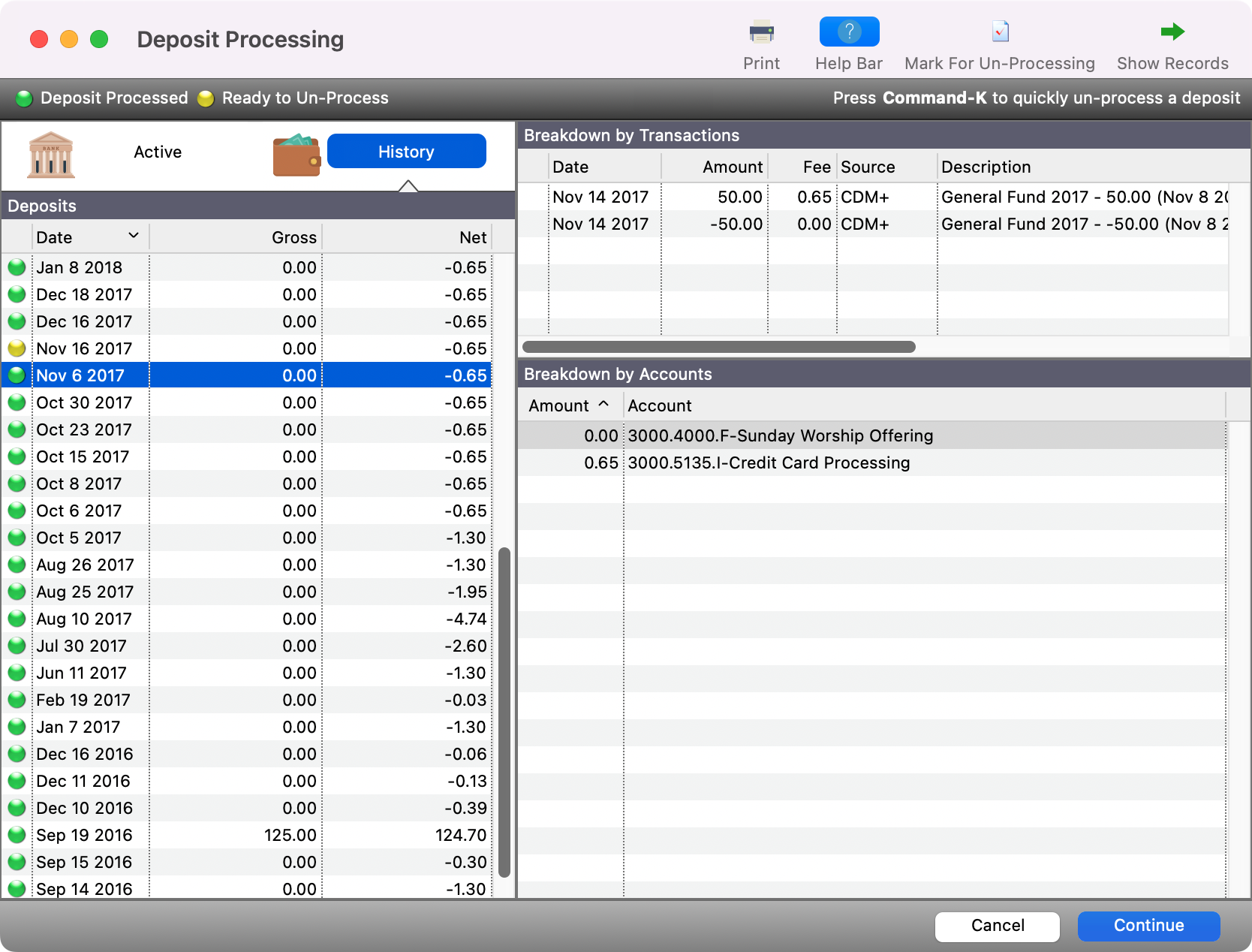
  4. Click Continue,

    Deposit Processing window with Continue in the bottom right-hand corner..


  5. You’ll see a pop-up asking if you want to continue to un-processing. Click Yes.
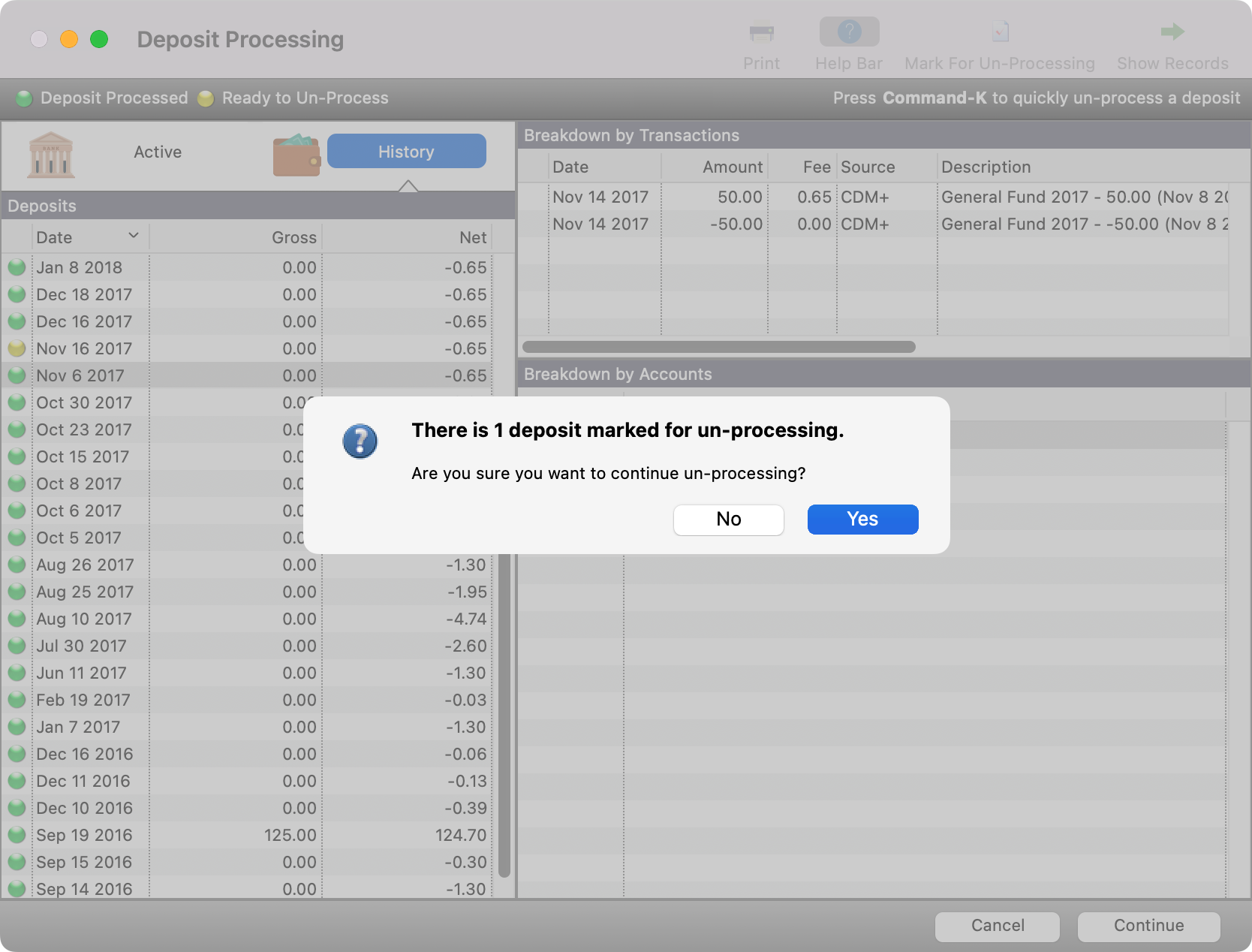
    Un-processing pop-up confirmation.