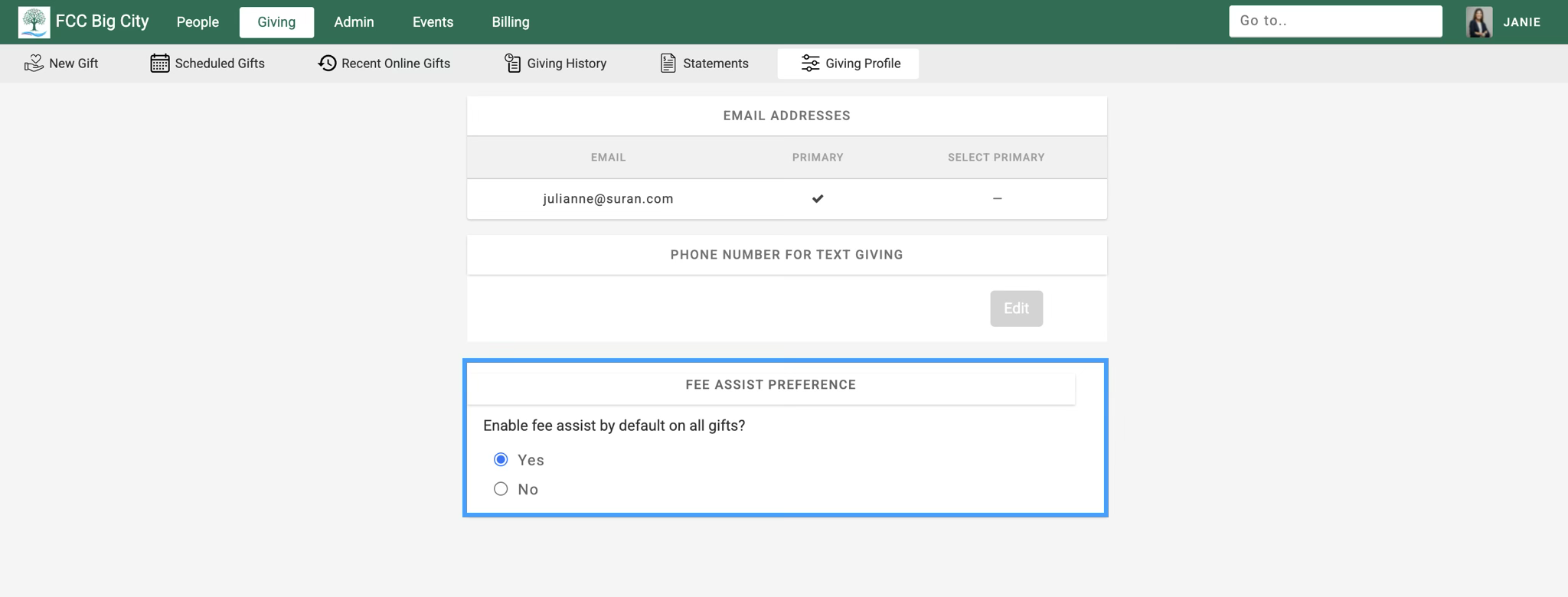
A giver an set their Fee Assist Preference in their Giving Profile.
-
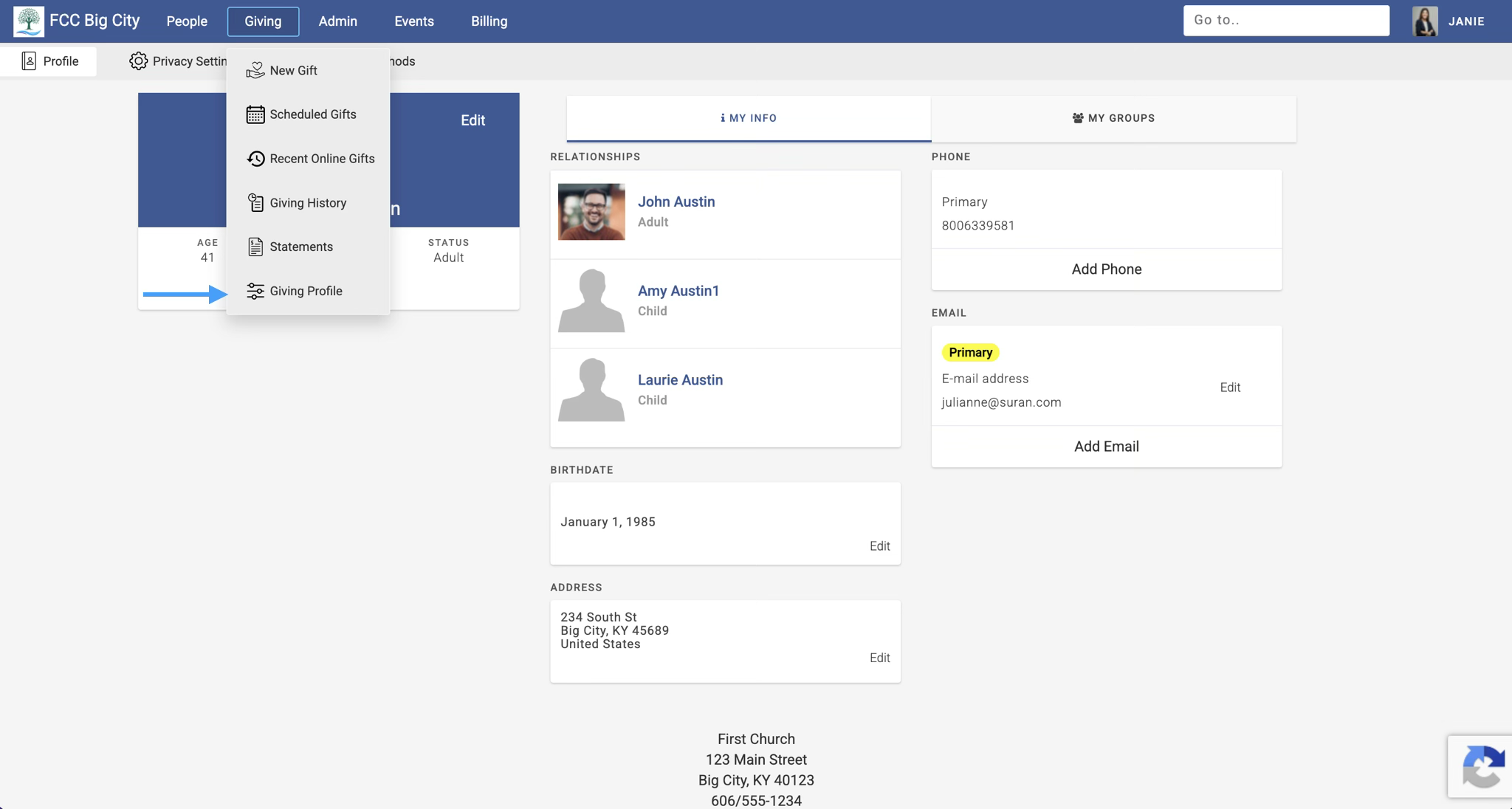
After logging into their Engage account, go to Giving → Giving Profile.
-
In the Fee Assist Preference section, you can choose Yes or No. Choosing Yes will automatically check the fee assist box whenever a giver gives. Choosing no will keep the fee assist box unchecked. A giver can always check the fee assist box for individual gifts they make.