
Through CDM+, you have the ability to impersonate a user in their Engage account. This can be helpful when a user needs help managing their profile or gifts.
Access Engage from an Individual Record
-
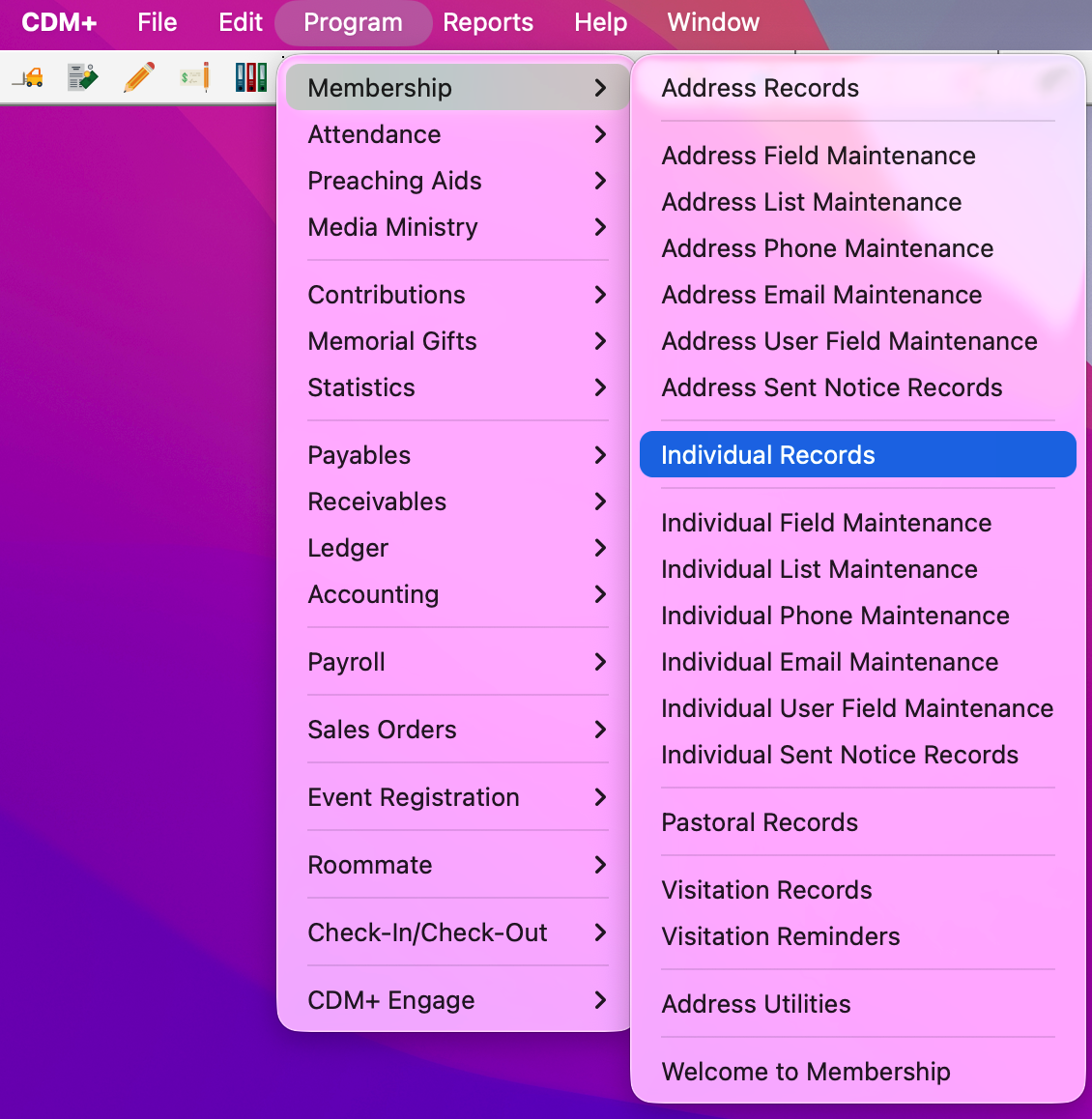
To access Engage from an Individual Record, go to Program → Membership → Individual Record.
-
Set up a find to search for the Individual record you need. Then, click to select the record and click the Engage tab.
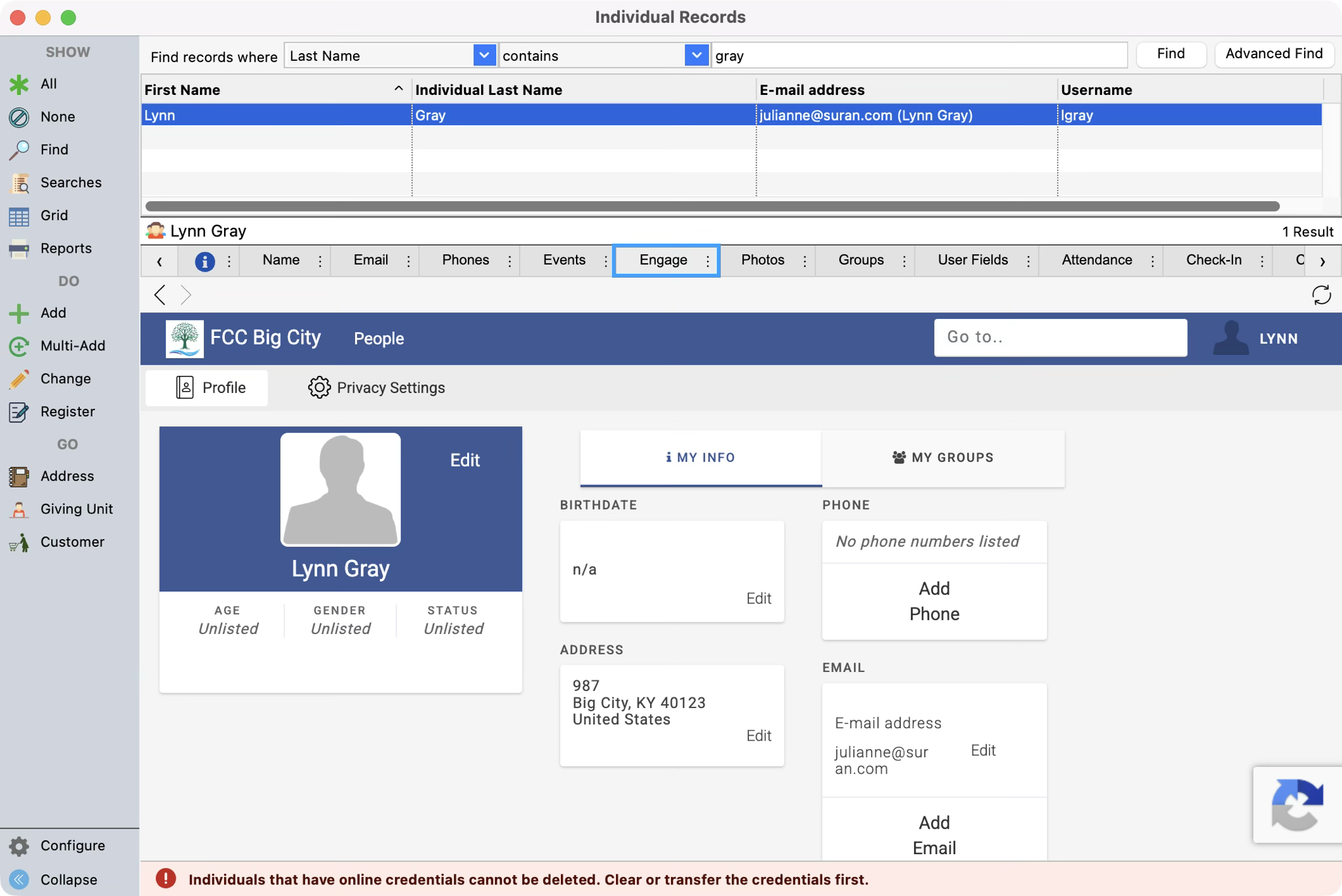
If you can’t see the Engage tab, scroll between the tabs until you do. You can always drag the tab to the left if you use it often.
-
Within the Engage tab, you are able to edit and navigate on behalf of the user as if the user was logged into Engage. See Engage People for options.
Access Engage from a Giving Unit Record
-
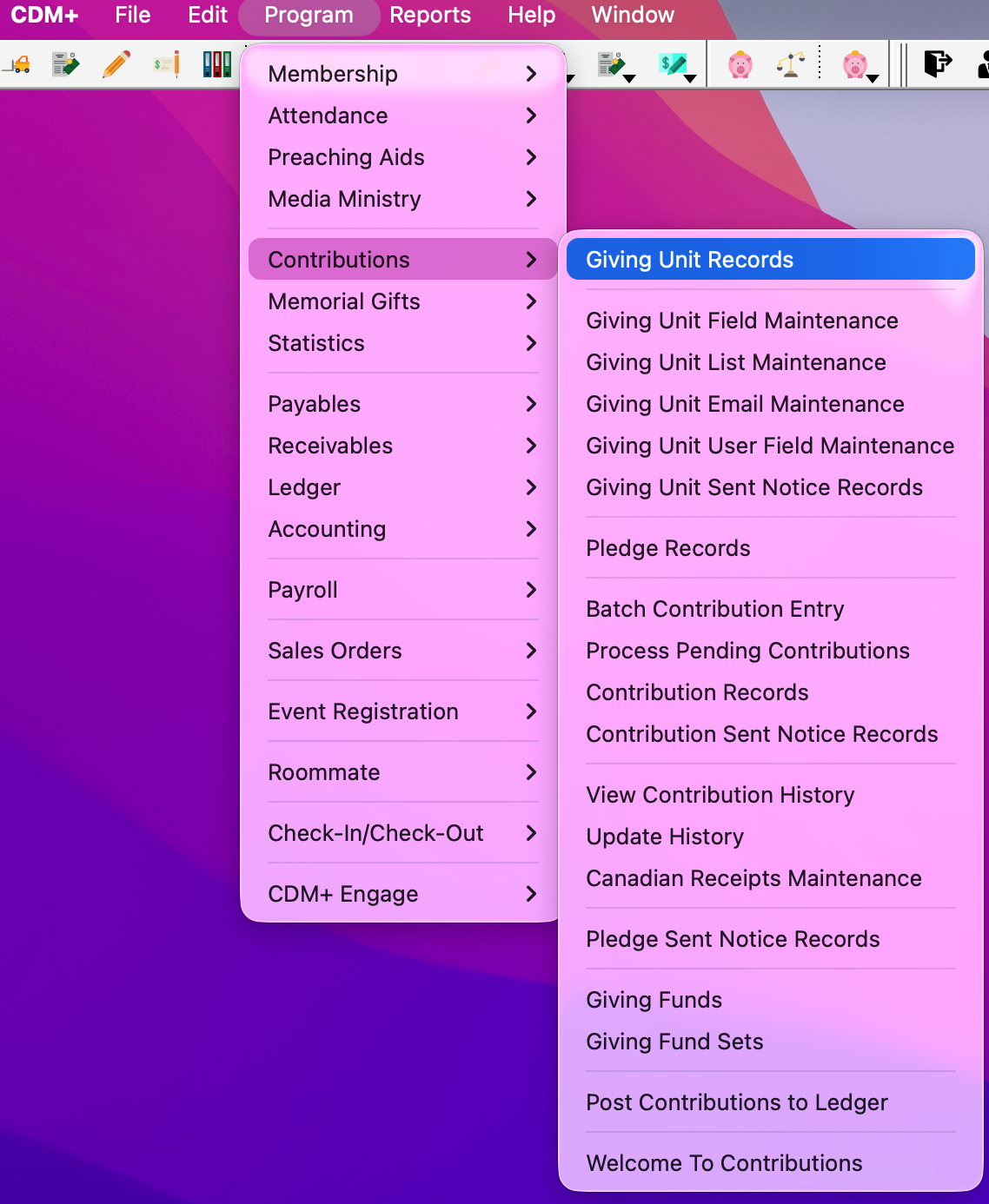
To access Engage from a Giving Unit Record, go to Program → Contributions → Giving Unit Records.
-
Set up a find to search for the Giving Unit record you need. Then, click to select the record and click the Engage tab.
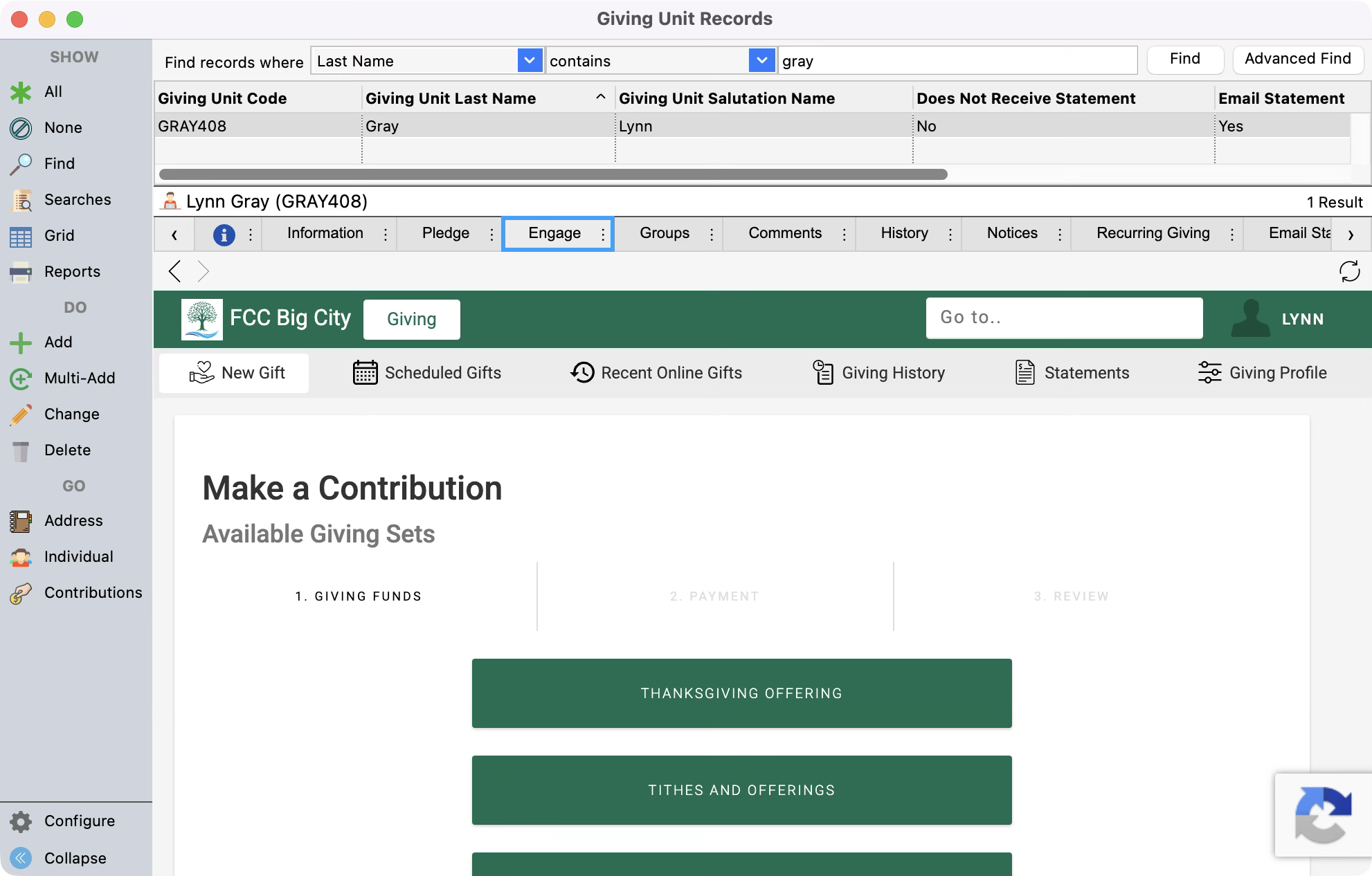
If you can’t see the Engage tab, scroll between the tabs until you do. You can always drag the tab to the left if you use it often.
-
Within the Engage tab, you are able to edit and navigate on behalf of the user as if the user was logged into Engage. See Engage Giving for options.