You may not want to use Process Pending Contributions to process guest gifts. If so, you can turn Process Pending Contributions off. This will cause the system to create a new Giving Unit record for each guest gift. In this article, we will show you how to turn off this feature.
Process Pending Contributions is a useful feature that helps you reduce the number of duplicate records. When you turn off this feature, it is very likely you will get duplicate Giving Unit records. You will need to decide what you will do with these duplicate records if you use CDM+ to prepare your End-of-Year Statements.
-
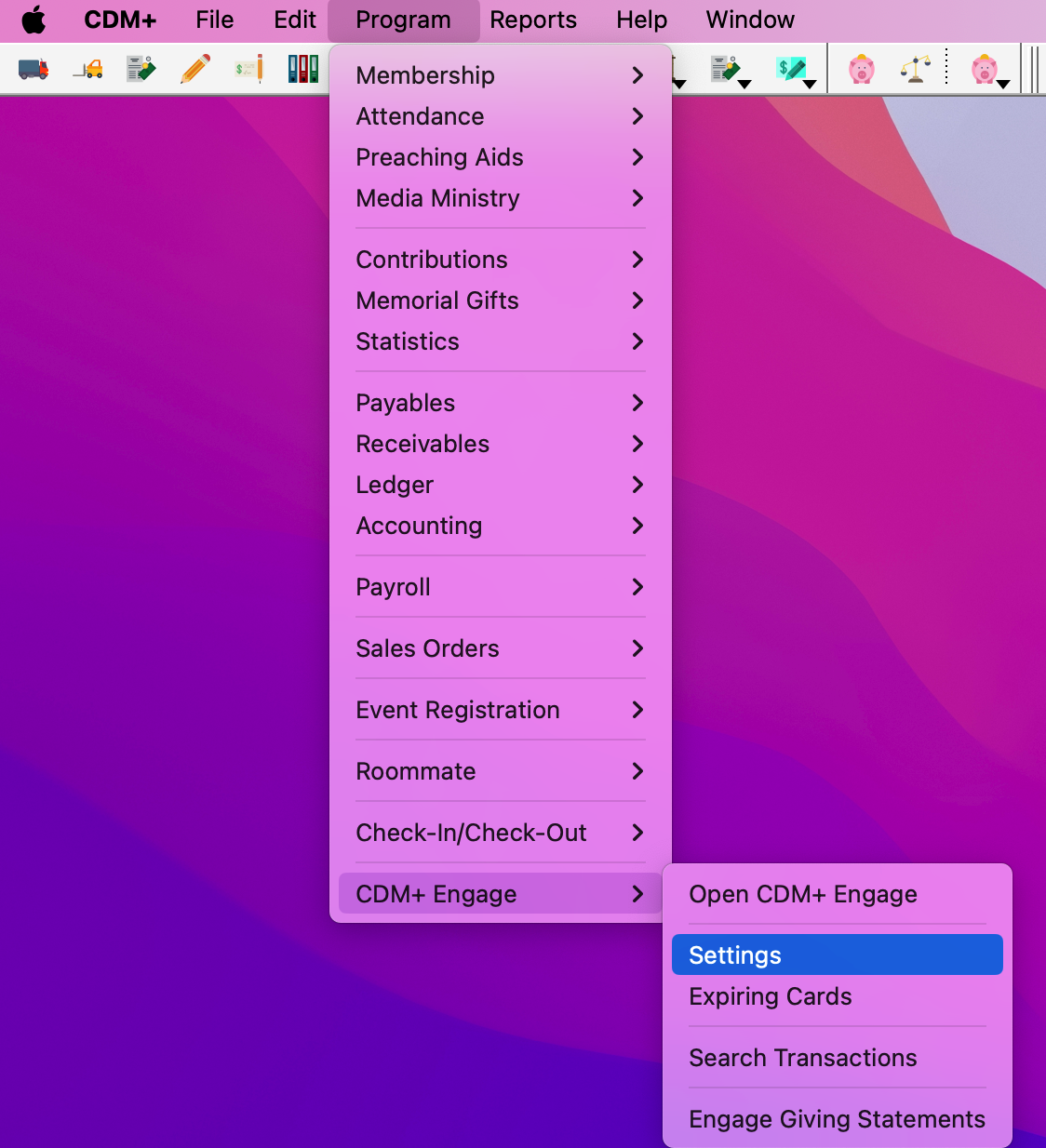
Go to Program → CDM+ Engage → Settings
-
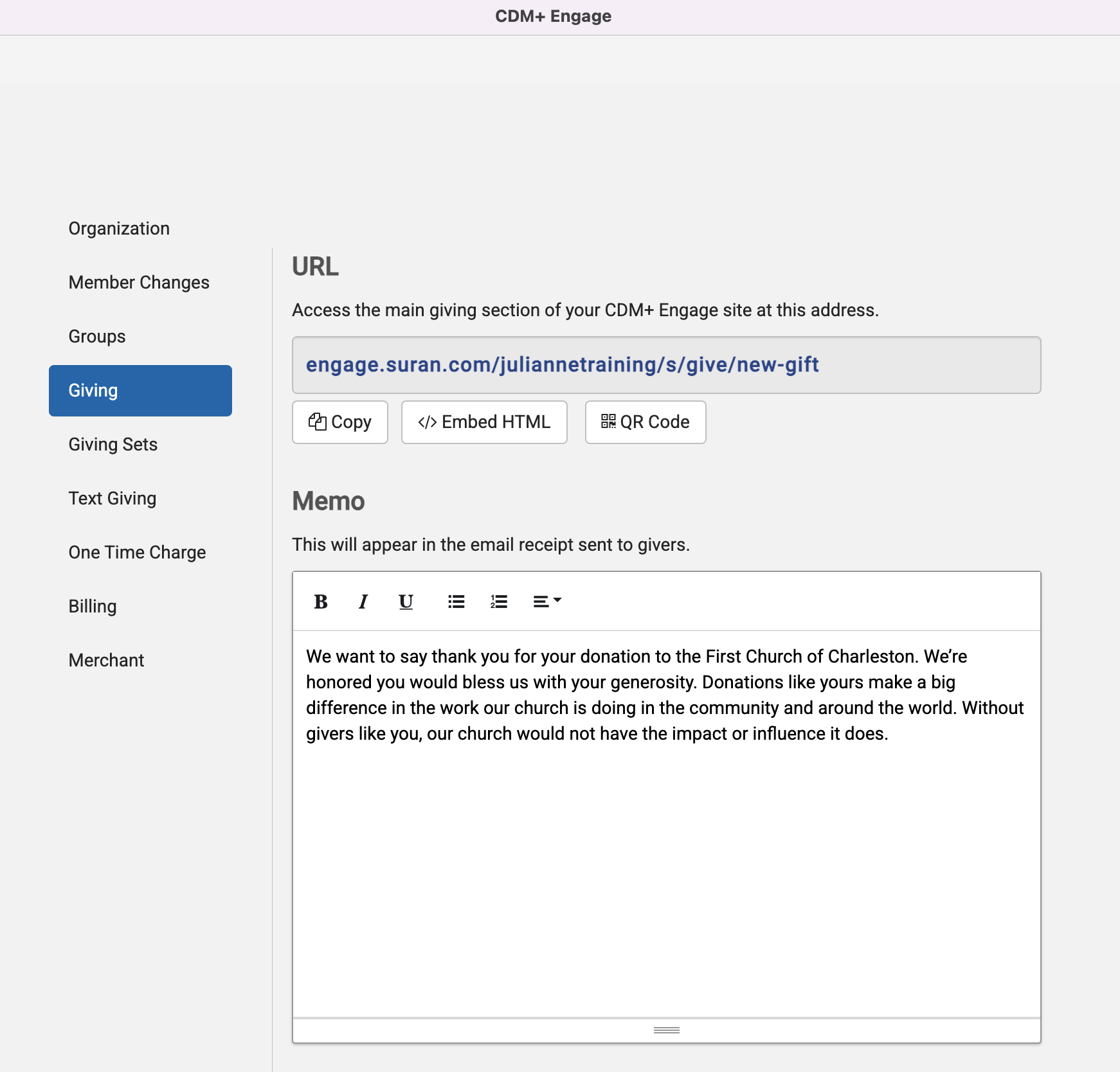
Select Giving in the left sidebar
-
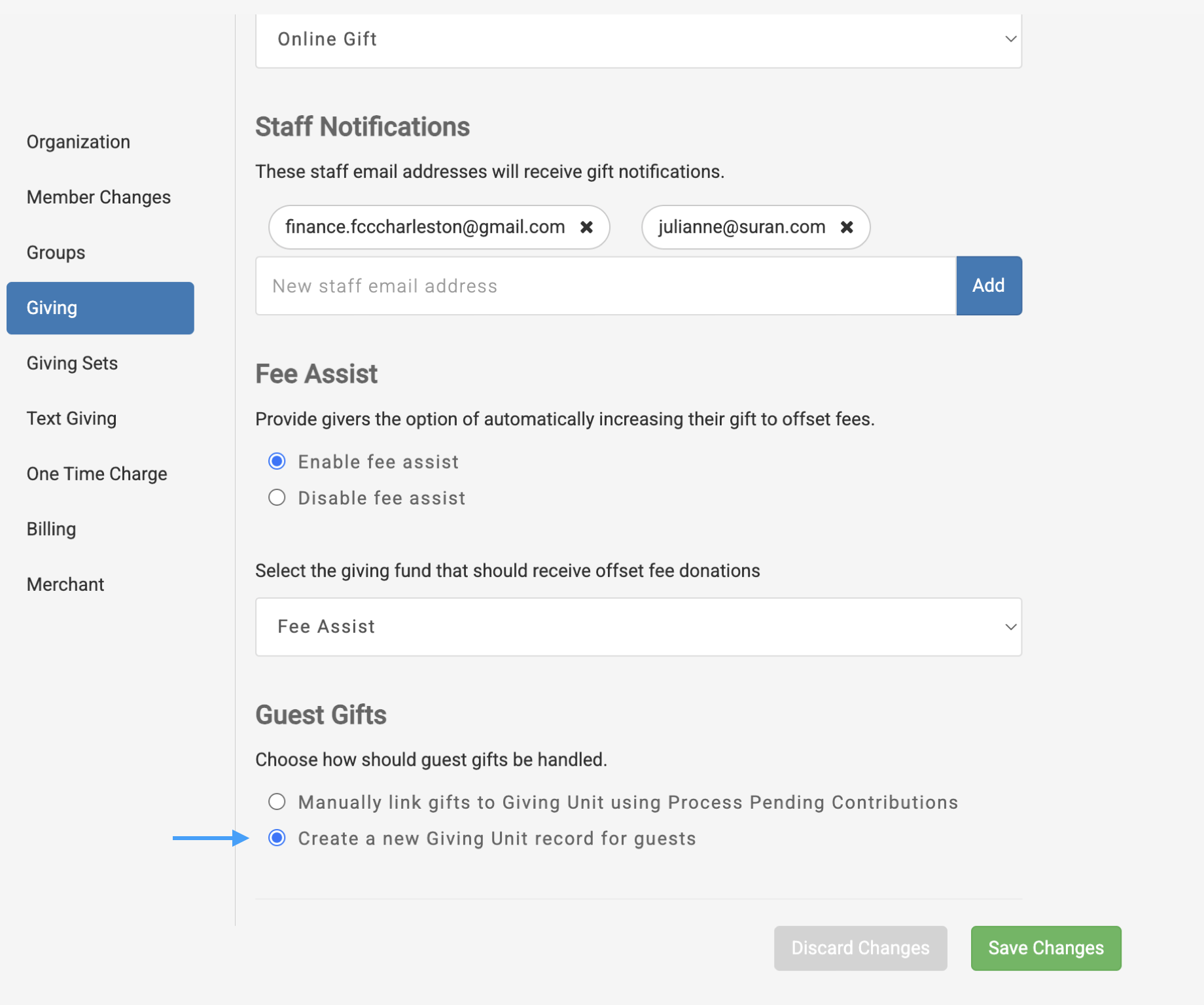
Scroll down to the Guest Gift section and select the Create a new Giving Unit record for guests radio button.
-
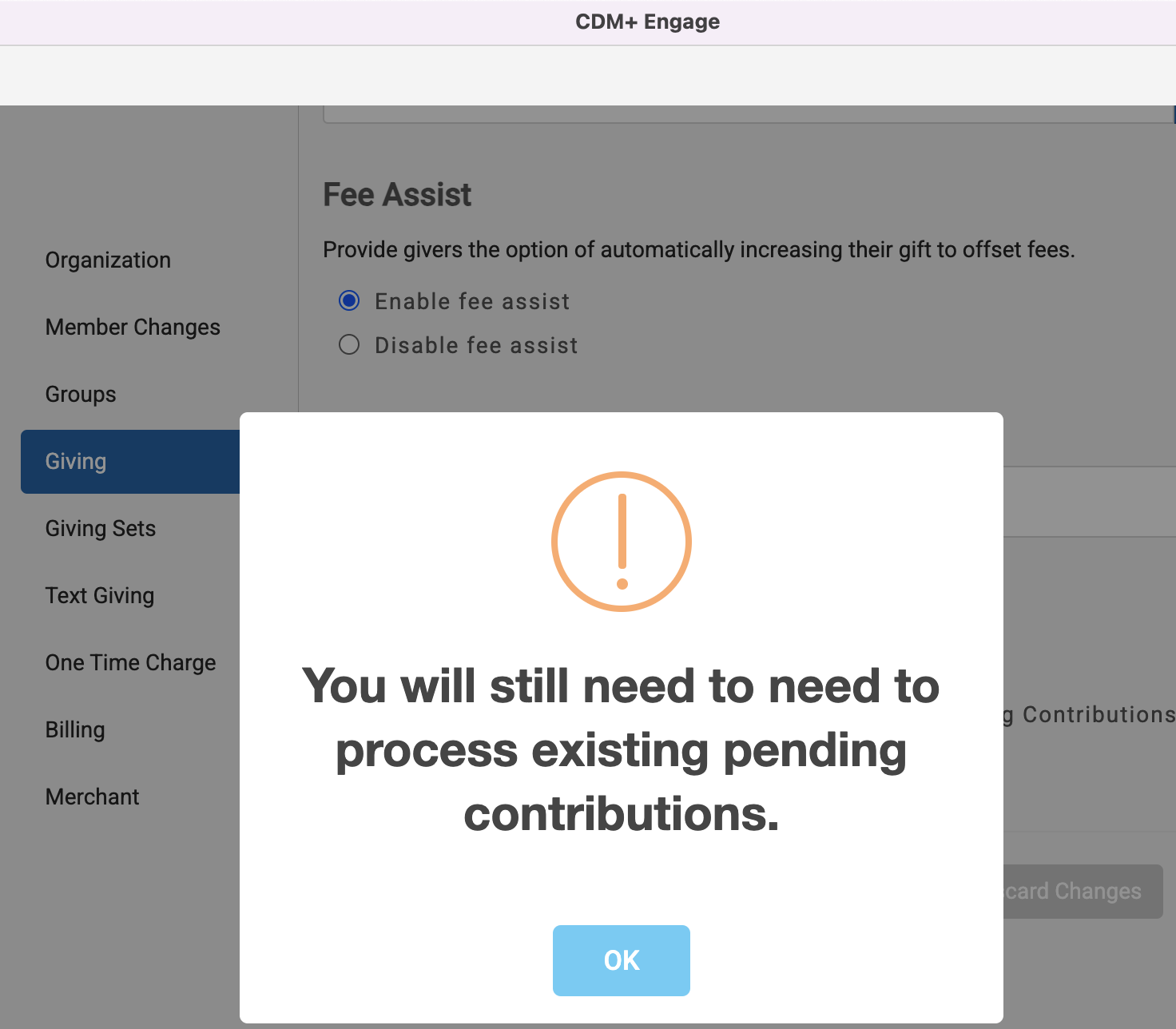
When you select the radio button, you will get a warning. Click OK to continue.
Please note that you will still need to process any existing donaations that exist in the Process Pending Contributions window.
-
Save Changes
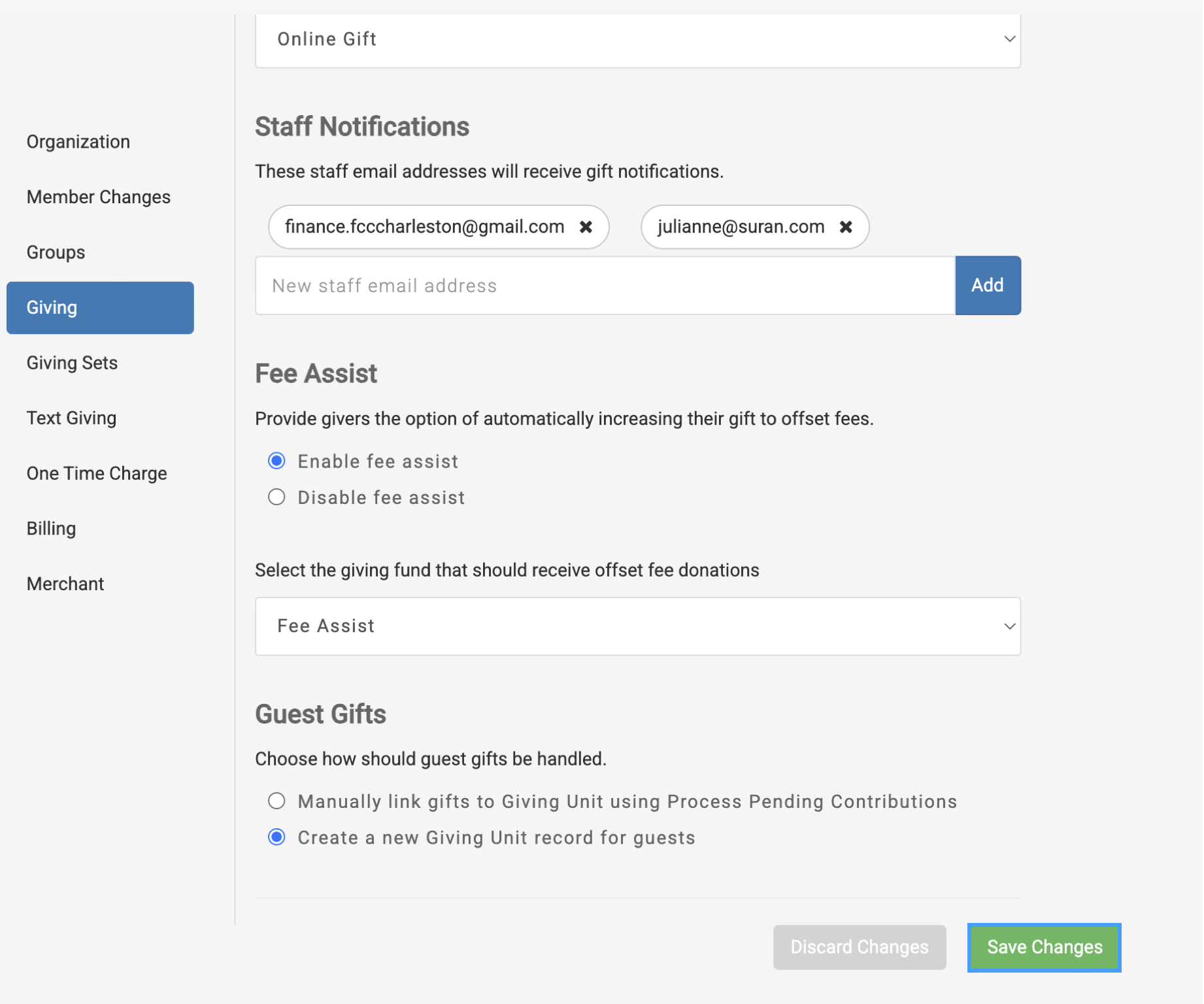
Now, when a Donor gives as a guest, a new Giving Unit record will automatically be created.