The church will want to complete an ACH Authorization form such as, Suran ACH Withdrawal Authorization Form Template.pdf. Just fill in the specific information about your organization.
-
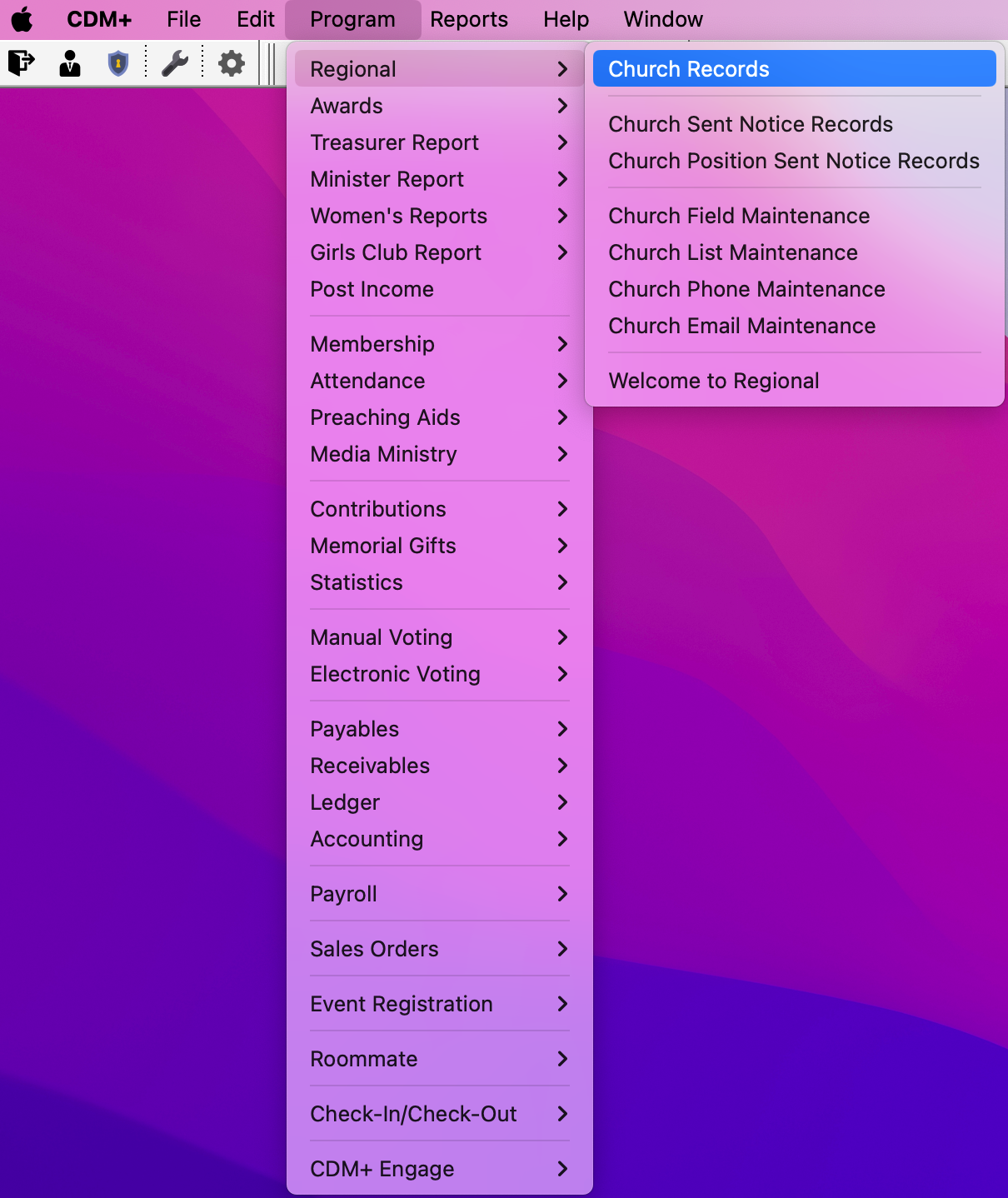
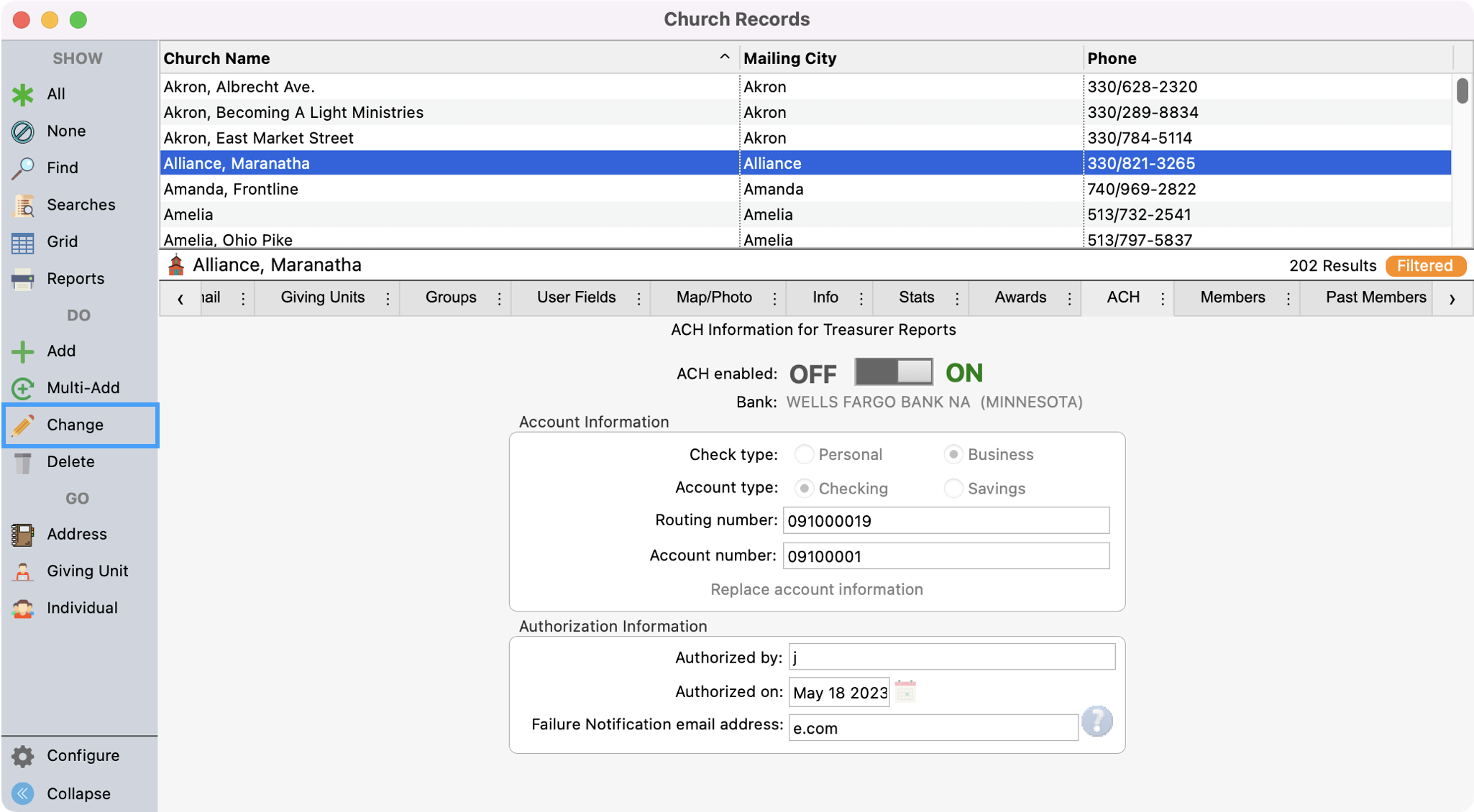
Go to Program → Regional → Church Records.
-
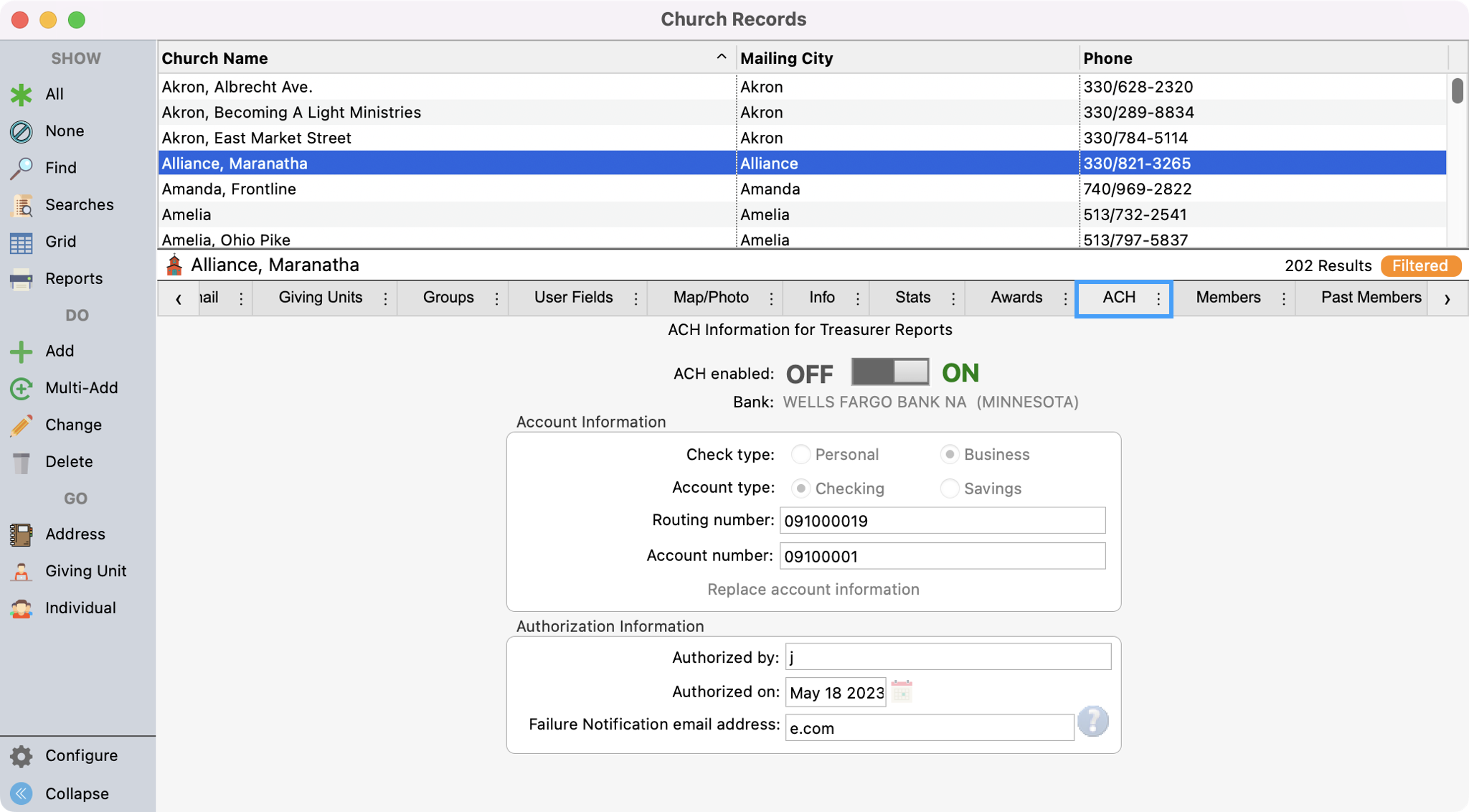
Search and select a church record and click the ACH tab.
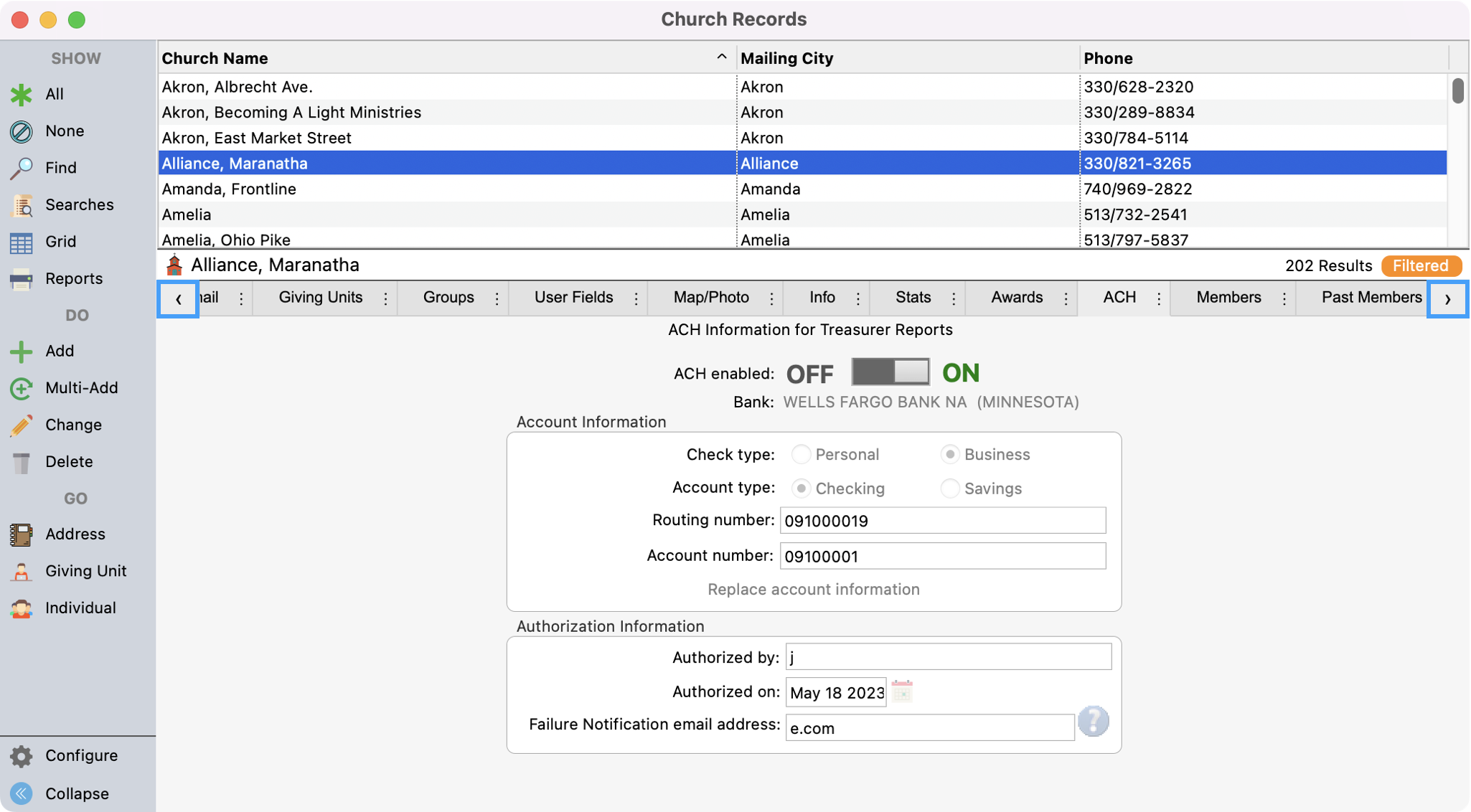
If you do not see the ACH tab under their record, use the scroll tabs to find it. You can always drop and drag these tabs in the order that works best for you.
-
Click Change from the left sidebar.
-
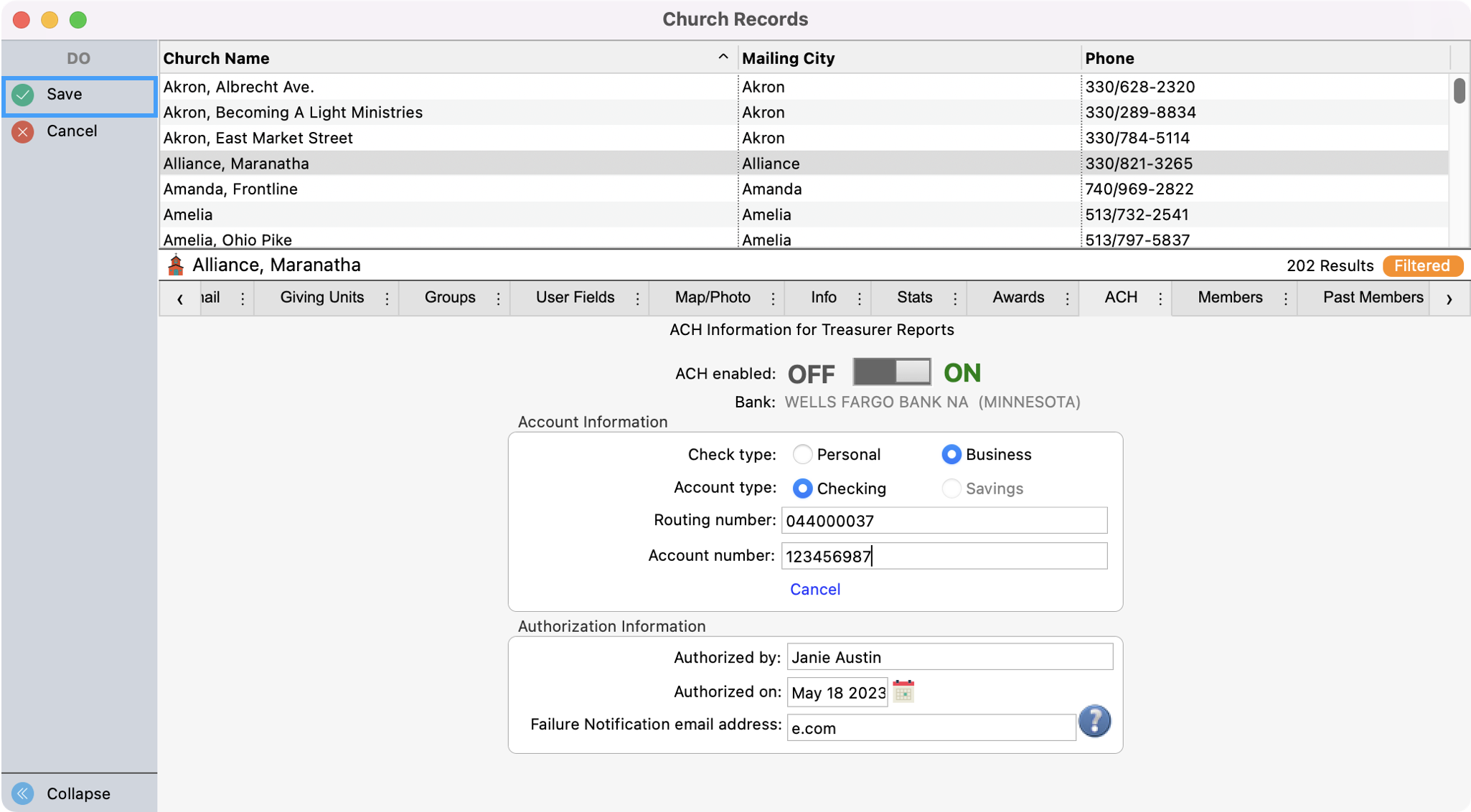
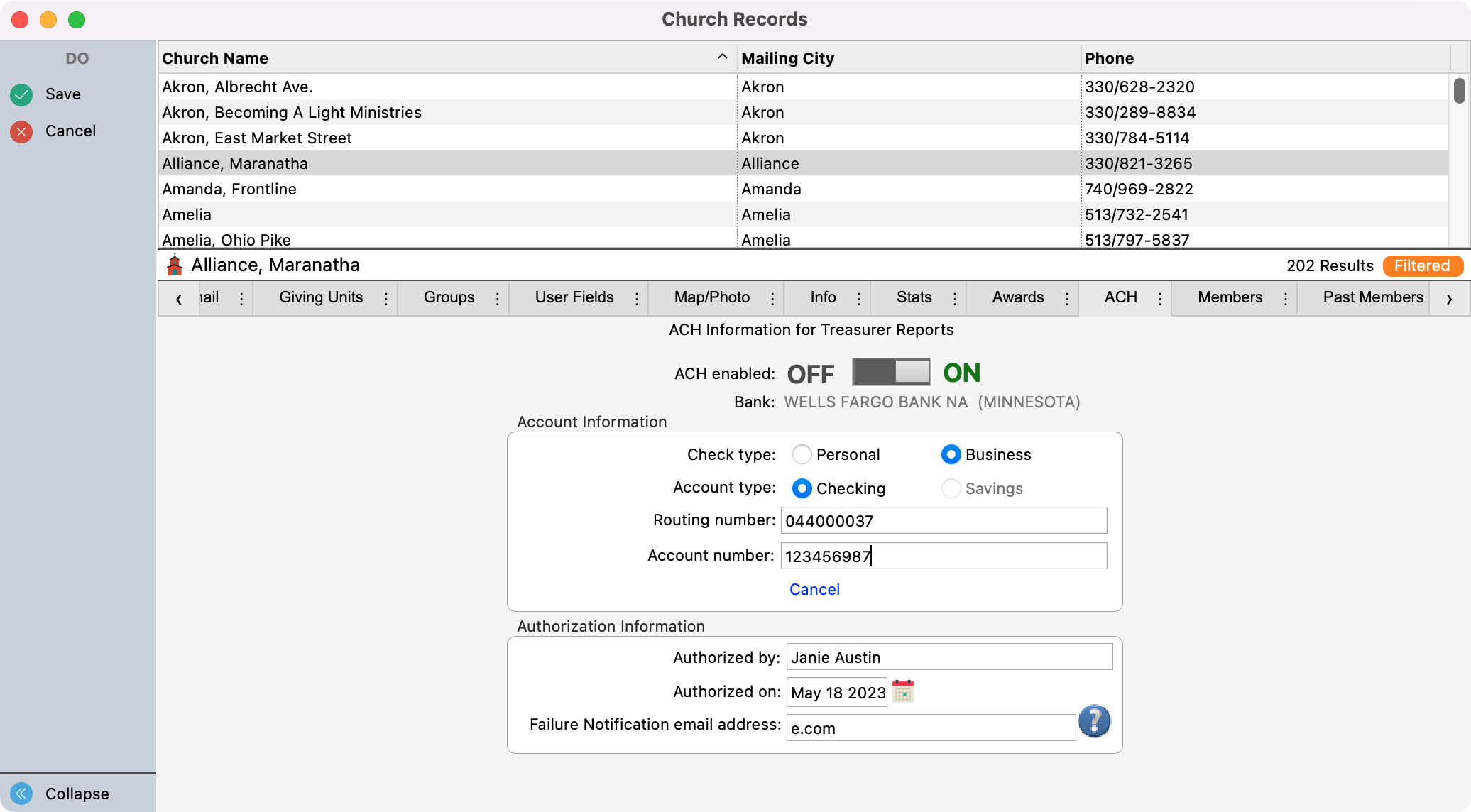
While in change mode:
-
Turn the toggle for ACH enable to On
-
Select Personal or Business checking account
-
Select the account type, Checking or Savings
-
Enter the Routing Number and Account Number
-
Enter the name of the person that Authorized the ACH setup
-
Enter the Date authorization was given
-
Enter an email address of the staff member who should be notified should there be a failure.
-
-
Click Save in the left sidebar when finished.